
Reusable Prompts
Keep repeatable task instructions in your prompt library.
Why reuse a prompt?
Save instructions you regularly give an agent, such as reviewing changes, investigating a failure, or preparing a handoff. A saved prompt has a short description for finding it and a body containing the task text.
A prompt stores instructions. A Preset stores the agent configuration and optional launch defaults. You can combine them: a review preset chooses the project and agent, while a reusable prompt describes the review.
Choose a guide
- Create and edit prompts builds your library.
- Use a reusable prompt adds instructions at launch or types them into a running session.
- Build prompt stacks combines ordered instructions.
- Share prompts explains visibility, ownership, and deletion.
- Prompt access through MCP lets agents read and maintain the owner's library.
In the server dashboard sidebar, open Prompts. All shows prompts and stacks together; Single and Stacked narrow the view. Your own entries and Shared with you are separate.
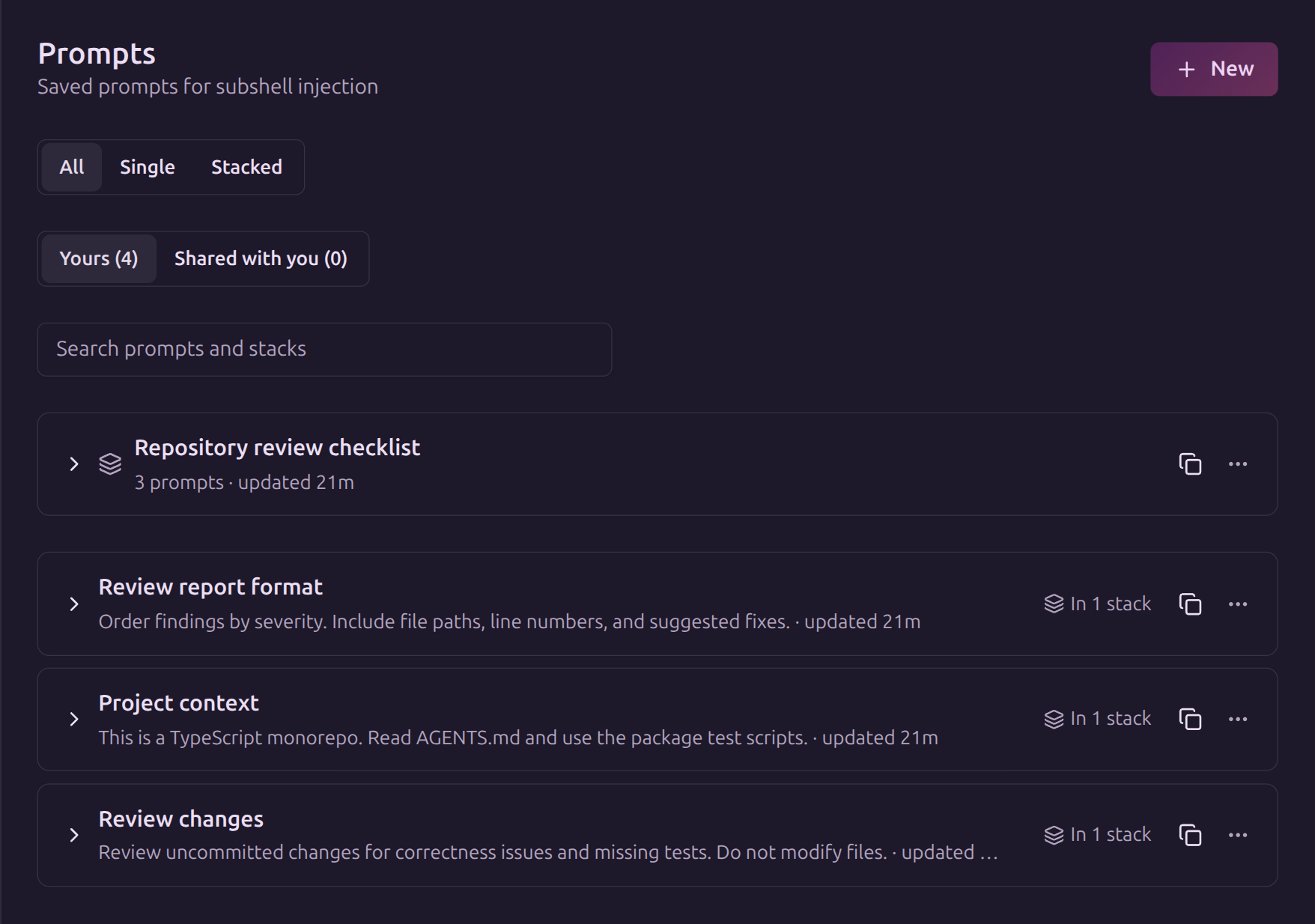
Keep instructions focused
Describe the task, expected output, and constraints. Use a description such as Review changes rather than a label that only makes sense to you. Keep project-specific context in a separate prompt when you want to reuse the task across repositories.
Prompts are text supplied to a process, not enforceable permissions. Review shared instructions before using them, and do not include credentials or other secrets.
Edit on GitHubLast updated on