
Subagents
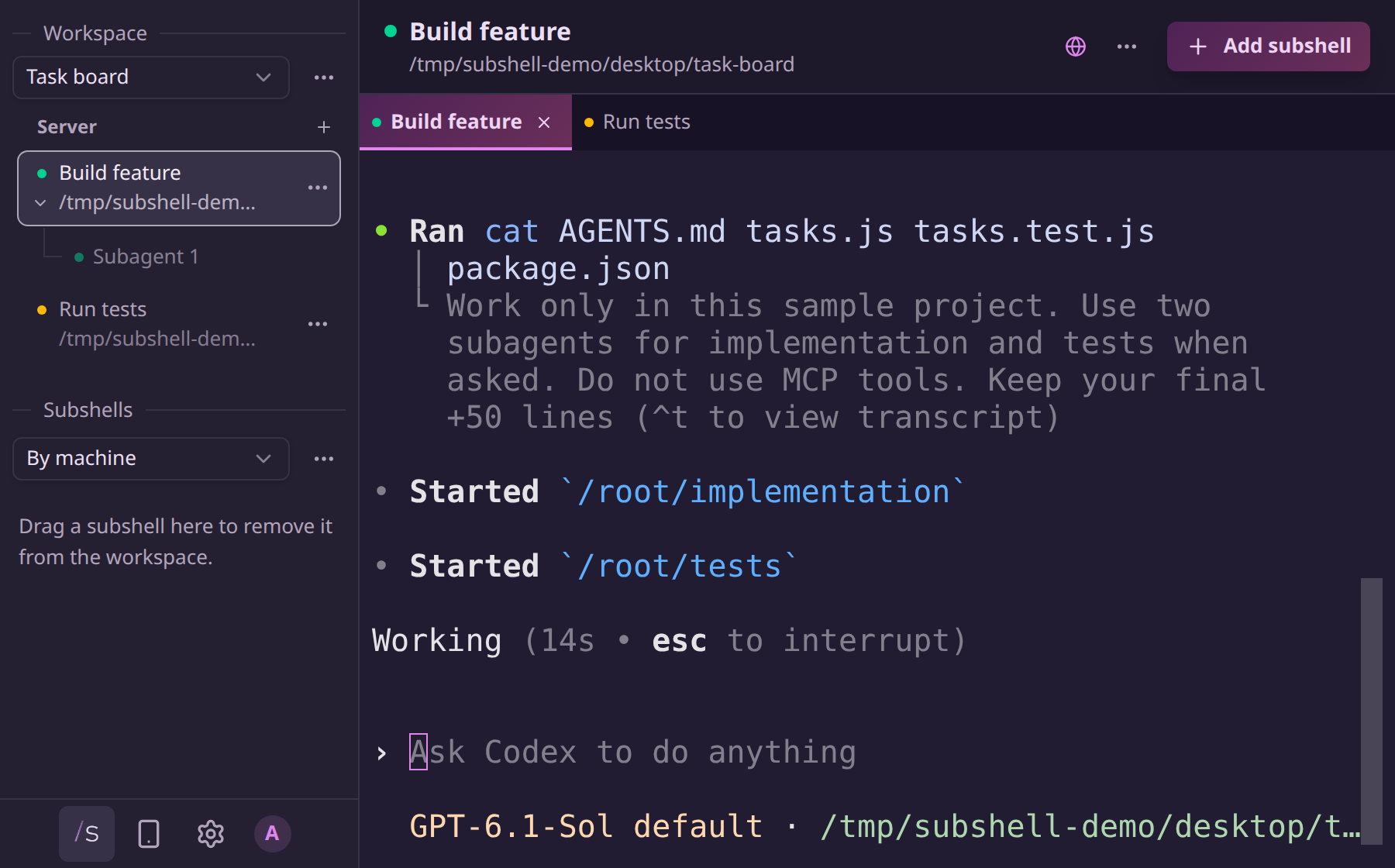
Subagents appear beneath the subshell that runs their parent agent. They aren't separate subshells, and they don't add tabs to your workspace. Completed subagents disappear from the list.
Open Workspaces in the sidebar’s bottom bar. Subagents appear under parents in both the workspace list and the Subshells section. When a subshell has active subagents, an arrow appears beneath its status dot. Select the arrow to collapse or expand the connected child rows without changing the focused subshell. Selecting the already active parent row also toggles its children.
Each child shows its name and status. When a task description is available, it appears on a second line beneath the name. Hover or focus a child for its status, how long it has been running, and whether you can switch to its view. Generic names such as default appear as Subagent 1, Subagent 2, and so on. These numbers stay stable while the children are active; meaningful names supplied by the harness stay unchanged. This works for subshells running on the server host and on enrolled nodes.
Switch agent views
When the harness supports native navigation, select a child to show its view in the parent's existing terminal. The header shows the child's name and a branching icon. Select Back to main agent in the header to return. The workspace tab keeps the parent subshell's name.
The view is shared: switching it changes what everyone attached to that subshell sees. People with view access can switch views. Edit access is still required to type, steer an agent, or answer approval prompts. The door works one way: a subshell's own key can report its children but can't move the shared view, so an agent can't aim its parent's terminal for the humans watching it.
If native navigation isn't available, the children remain visible as status indicators. Hover over or focus a child for an explanation, and use the harness's own controls to open its view.
Harness support
| Harness | Discovery | Sidebar navigation |
|---|---|---|
| Claude Code | Subagent lifecycle hooks, added at launch. | Status only. |
| Codex | Subagent lifecycle hooks, added at launch. Review and trust them through /hooks. | Status only. |
| OpenCode | TUI integration, using the native plugin API verified against OpenCode 1.18.18. | Switches the existing TUI; changes made inside the harness also update the header. |
| Hermes | Configure and approve subagent_start and subagent_stop shell hooks. The harness's setup instructions include the configuration. | Status only. |
| pi | pi's own subagent example extension (installed into pi separately), or an extension implementing the bridge below. | Status only. |
| Terminal | No harness subagents. | Not applicable. |
New name and description reports update the existing row. Claude Code's subagent descriptions are hidden because its reported task and tool descriptions don't match the generated progress summaries in its task picker. Use Claude's own task picker to see current activity. The sidebar still shows subagent names and status. Hermes supplies the child's stated goal.
Restart existing subshells to load a newly installed integration. Restarting doesn't enable Claude's generated progress summaries. Lifecycle-only integrations report events while they run; after a server restart, existing children won't reappear until the harness reports them again. OpenCode and pi send snapshots instead.
pi extension bridge
Subshell ships only the listener. Nothing reports until pi's own subagent example extension (or one implementing the bridge below) runs in pi, so install it in pi first if you want pi's delegated agents here.
The adapter recognizes the subagent tool progress format from pi's bundled example. It doesn't assume that other extensions with different tools or background execution models use that format.
An extension can publish its complete current set through pi's event bus:
pi.events.emit("subshell:subagents", {
  agents: [
    {
      id: "review-1",
      name: "Review changes",
      status: "running",
      activity: "Checking the migration plan",
    },
  ],
});
Use stable IDs and one of running, waiting, or idle. Publish a new snapshot when the set changes, omitting completed children. An empty agents array clears it. Send names, lifecycle metadata, and optionally a one-line activity label for the second line beneath the name. Not prompts or transcripts.
Last updated on